
How Hackers Use Google Dorks to Find Secrets 🔍

When most people think of hacking, they imagine complex codes, dark terminals, and Hollywood-style green text flying on a black screen. But in reality, some of the most powerful hacks don’t require exploits or malware — they just require Google Search.
Yes, you read that right. Hackers often rely on Google Dorking (a.k.a. Google Hacking) to uncover hidden secrets, from exposed passwords to unsecured databases. And the scary part? Anyone with an internet connection can do it.
In this blog, we’ll break down:
✅ What Google Dorks are
✅ How hackers use them to find sensitive data
✅ Real-world examples (educational only!)
✅ Tools & GitHub resources you can try
✅ How to protect yourself from leaking secrets
So grab your ☕ and let’s dive into the underground world of Google Dorks. 🚀
🌐 What Exactly is Google Dorking?
At its core, Google Dorking is using advanced search operators to uncover information that isn’t meant to be public — but got indexed by Google accidentally.
Think of it as searching with X-ray vision. While normal users type:
best pizza recipes
cybersecurity jobs near me
Hackers type things like:
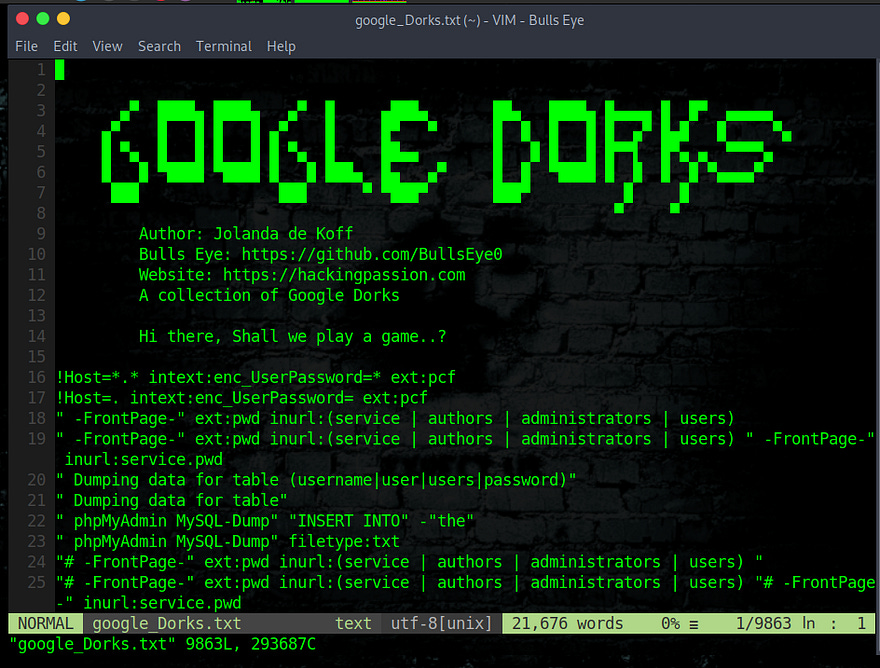
filetype:sql "password"
site:example.com "confidential"
intitle:"index of" backup
And instead of pizza 🍕, they get juicy data leaks.
💡 Fun fact: Google Dorking was first popularized by Johnny Long, who created the Google Hacking Database (GHDB) — a massive collection of search queries hackers use.
👉 You can check it here: Exploit-DB Google Hacking Database
🕵️ The Power of Google Dorks: How Hackers Use Them
Let’s break down some common Google operators hackers abuse:
🔑 filetype: – Finding Specific Files
This searches for certain file formats. Hackers love it to find exposed configs, backups, or secrets.
filetype:env "DB_PASSWORD"
filetype:sql "insert into"
filetype:bak "admin"
🌍 site: – Targeting Specific Domains
Focus only on one domain (perfect for bug bounty hunters).
site:example.com confidential
site:gov.in "login"
📂 intitle: – Open Directory Hunting
Hackers look for misconfigured servers exposing files.
intitle:"index of /" "backup"
intitle:"index of" "mp3"
🔒 inurl: – Exposed Panels & Logins
Targets URLs with “admin”, “login”, “dashboard”.
inurl:/admin/login
inurl:phpmyadmin
🗂️ ext: – Alternative for File Extensions
Works just like filetype.
ext:log password
ext:sql "insert"
💾 cache: – Viewing Deleted Pages
Even if data is removed, Google’s cache may have it.
cache:example.com⚡ Real-World Google Dork Examples (For Awareness Only!)
⚠️ Disclaimer: These are for educational awareness only. Don’t use them on real systems without permission.
Finding Live Security Cameras 🎥
inurl:"/view.shtml" inurl:"/axis-cgi/jpg"Leaked Credentials in GitHub 🔑
site:github.com "AWS_SECRET_ACCESS_KEY" site:github.com "password"Exposed Database Backups 📂
filetype:sql "password" intitle:"index of" "database"Finding Open FTP Servers 📡
intitle:"index of" "ftp"👉 For a giant repo of ready-to-use dorks:
🔗 opsdisk/google-dorks
🔗 Google Dork Scanner Tool
🧑💻 Tools Hackers Use to Automate Google Dorks
Instead of manually Googling, hackers (and security researchers) use automation tools. Some popular ones:
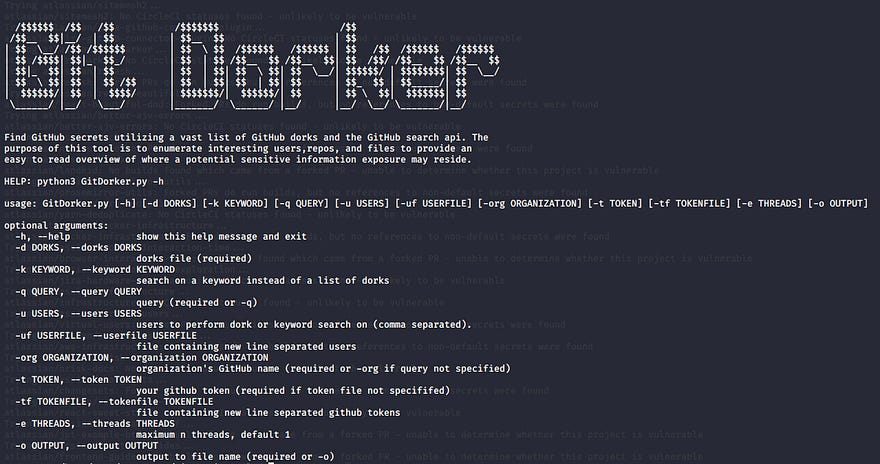
🐙 GitDorker — Automates GitHub dorking for secrets.
👉 GitDorker GitHub
🕵️ dorks-eye — Python script to fetch dork results fast.
👉 Dorks-Eye GitHub
🛡️ theHarvester — Recon tool for emails, domains, and dorks.
👉 theHarvester GitHub
🔥 Real Hacker Stories Using Google Dorks
💸 Bug Bounty Hunters have earned thousands by finding AWS keys, API tokens, and database dumps left exposed via Google.
📸 In 2018, security researchers found thousands of unsecured webcams using just Google queries.
📝 In multiple cases, companies accidentally exposed
.gitfolders or config files that revealed database logins.
This shows: sometimes hacking isn’t about breaking in — it’s about finding what’s already public.
🛡️ How to Protect Yourself
If you’re a developer, sysadmin, or business owner, here’s how you can avoid becoming a Google Dork victim:
✅ Best Practices
Never upload secrets (
.env,.sql,.bak) to web servers.Restrict access to admin panels (VPN, 2FA, IP whitelisting).
Use robots.txt wisely — but remember, it’s not real security.
Regularly scan your domain using Google Dorks (do it before hackers do).
Use GitHub secret scanning to prevent API key leaks.
🔧 Security Tools to Monitor
TruffleHog — Finds secrets in code.
Shodan — The “Google for hackers” to find devices.
Censys — For scanning internet assets.
📊 Google Dorking vs Shodan vs Recon Tools
ToolBest For 🔍Example UseGoogle DorksHidden files, secrets, configsFinding .env with passwordsShodanIoT devices, servers, camerasFinding unsecured webcamstheHarvesterEmails, subdomains, metadataRecon before pentests
👉 Hackers usually combine these tools for maximum recon power.
💡 Final Thoughts
Google Dorking is both a hacker’s weapon and a defender’s tool.
Hackers use it to find juicy data.
Security researchers use it to prevent leaks.
Companies often discover that their biggest enemy is Google indexing itself.
Next time you search something on Google, remember — it’s not just a search engine, it’s a hacking engine too.
🤝 Connect With Us
Want more deep dives into cybersecurity, ethical hacking, and bug bounty tips? Follow us across platforms:
🌍 Website → The Hackers Log
📩 Substack (Free) → Subscribe Here
💼 LinkedIn → Follow The Hackers Log
✍️ Medium → @vipulsonule71
Stay curious, stay safe, and keep hacking ethically. 🏴☠️